
What is Tallyman?
Tallyman is a command-line utility that categorizes and analyzes codebases by language and file type. Rather than simply counting lines of code, it reveals the shape of your project by organizing results into meaningful categories.
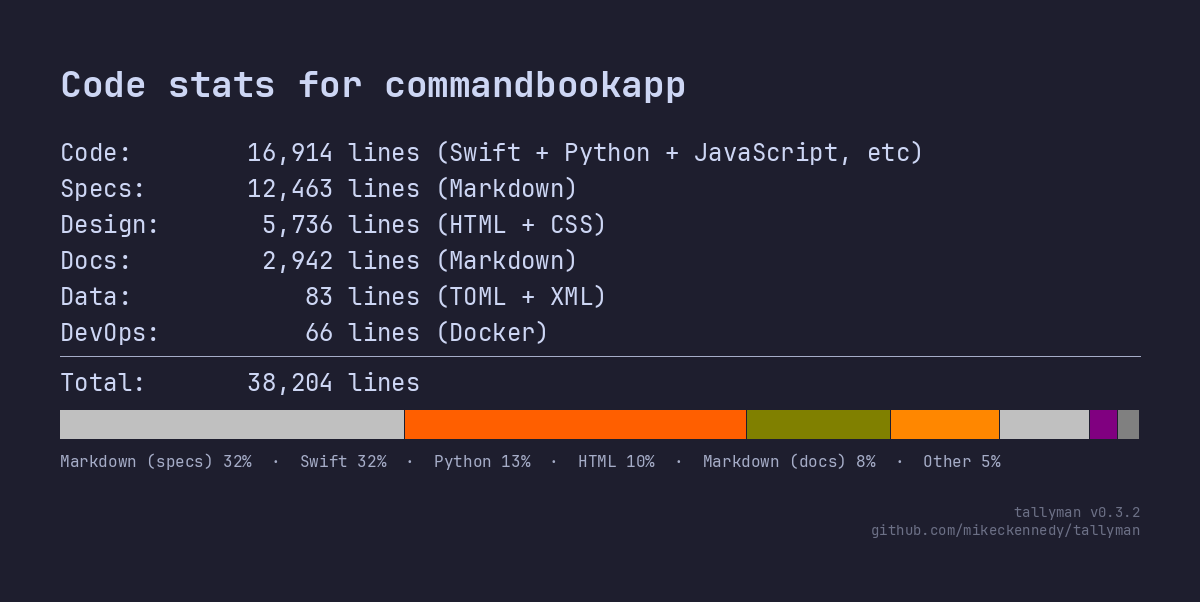
Features
- Dual line counting — total lines and “effective” lines (excluding comments and blanks)
- Six-category classification — Code, DevOps, Design, Docs, Specs, and Data
- 40+ languages supported including Python, JavaScript, Go, Rust, and more
- Gitignore-aware file filtering so you only measure what matters
- PNG image export for sharing project statistics
- Persistent configuration via
.tally-config.toml - Spec-aware — automatically detects specification directories (
specs/,plans/,agents/) and reclassifies docs found there as specifications, useful for AI-assisted development workflows
Installation
uv tool install tallyman-metrics
# or
pip install tallyman-metrics
Requires Python 3.14 or later.
Usage
tallyman                  # Analyze current directory
tallyman /path/to/project # Analyze a specific project
tallyman --setup          # Interactive configuration
tallyman --image          # Generate a dark-themed PNG card
tallyman --image-light    # Generate a light-themed PNG card
How It Works
Tallyman walks your directory structure (respecting .gitignore patterns), identifies languages via file extensions, counts and classifies lines, aggregates results by language and category, then displays formatted output with a colored composition bar.